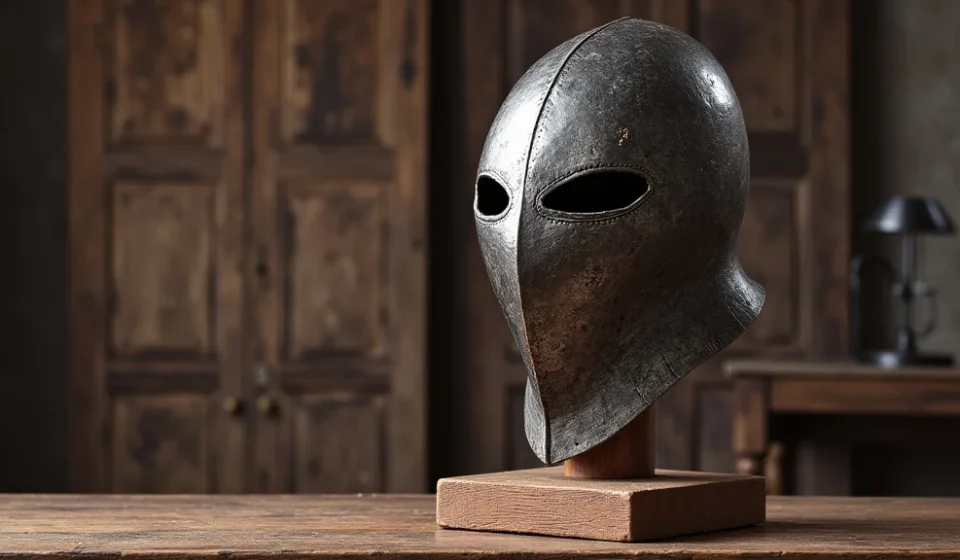

Remember that time you spent hours building a magnificent castle in your favorite game, only to realize your amazing armor had nowhere to be displayed? You probably thought about a way to show off your hard-earned gear. Well, this guide is your key to getting your very own crafting recipe for armor stand and displaying your gear with pride. We’ll explore everything you need to know, from the basic ingredients to the advanced techniques. You’ll learn how to build and use this essential item, boosting your gameplay creativity and keeping your gear organized. You’ll gain practical skills and find helpful insights, improving your in-game experience significantly.
Key Takeaways
- Discover the essential materials required for the crafting recipe for armor stand.
- Learn the precise arrangement of items within the crafting table.
- Understand the various ways to customize and position your armor stands.
- Explore the various uses for armor stands beyond simply displaying armor.
- Get tips and tricks to enhance your in-game decorations with ease.
- Discover advanced techniques to add animations and interactive elements.
Unlocking the Armor Stand Crafting Recipe
The crafting recipe for armor stand is a fundamental item in the game, enabling you to showcase your hard-earned armor sets. However, before you can build one, you need to acquire the necessary components and understand how they interact in the crafting process. Acquiring the necessary materials is the initial phase. These items are readily obtainable in the game, and the process to get them is often straightforward. Let’s explore the essential ingredients and the arrangement you need for a successful crafting attempt.
Gathering the Ingredients
The materials required to craft an armor stand are relatively simple to gather, making it accessible even to beginner players. Ensuring you have the correct items is the first step. You’ll need specific quantities of certain raw materials that can be mined, found, or otherwise obtained within the game. Gathering these items will be the foundation for your first armor stand. It’s a quick process that any player, regardless of experience, can accomplish. These materials are generally found near the beginning of the game, letting you start customizing your world from day one.
- Sticks: Sticks are made from wooden planks. You can obtain wooden planks by processing logs. Logs are harvested by chopping down trees with an axe. You’ll need six sticks.
- Stone Slab: Stone slabs can be crafted from stone blocks. Stone blocks are mined using a pickaxe. You’ll need one stone slab.
- Empty space in crafting table: This step is less about obtaining an item and more about knowing the arrangement of materials. The correct placement is important for a successful outcome.
Making sticks is one of the very first things you’ll learn in the game. It uses the simplest crafting method: placing two planks of wood, one on top of the other, to create four sticks. These sticks are essential for building other items as well.
The stone slab can also be created from cobblestone or other types of stone, allowing for various aesthetic choices. The stone slab provides a base for the armor stand. To make stone slabs, you need to mine stone using a pickaxe. Place the stone in the crafting table to create a slab.
The location of each item is very important. Without the correct arrangement, the game won’t recognize the crafting recipe for armor stand, and you won’t get the desired result. The crafting recipe is designed to be very easy and straightforward.
The Crafting Table Arrangement
With the materials gathered, the next step involves using a crafting table. The crafting table is the cornerstone of the crafting system. The items must be positioned in a specific arrangement to create an armor stand. A misplacement of a single item can ruin the crafting process. Therefore, attention to detail is essential when constructing your armor stands. You can place the items in the crafting grid to successfully build an armor stand.
The crafting table is where you transform raw materials into useful items. The recipe must be executed exactly as described to yield the desired result. Once the items are correctly placed, the resulting product will appear in the output slot of the crafting table. Following a precise arrangement ensures the crafting recipe for armor stand works every time.
- The base row must have three sticks placed horizontally across.
- The middle row needs a stick on each end, with the stone slab in the center.
- The top row must have three sticks placed horizontally across.
The first step involves placing sticks in the bottom row of the crafting table. This forms the base of the armor stand, providing support for the structure. Be careful to position them correctly in the bottom row.
In the middle row, arrange the sticks at each end and position the stone slab in the middle. The stone slab acts as the primary support. The stone slab is a crucial element in the construction of the armor stand, connecting to both the base and upper section.
To finish the frame, put the sticks in the top row. These sticks, like the ones at the base, provide essential support for the entire structure. The stick placement is essential to create the desired shape and stability of the armor stand.
Deploying Your Armor Stand
Successfully crafting an armor stand is the initial step; the real enjoyment comes with using and customizing it. Deploying your armor stand involves finding the right spot to place it. Also, consider the specific needs of your game’s setting. The ability to rotate and pose your armor stands adds a layer of flexibility. You can create dynamic displays or integrate them into elaborate setups. The possibilities for customization are significant, helping you express your creativity.
Placing and Rotating Armor Stands
After crafting an armor stand, it’s time to set it up in your world. The placement can change its effectiveness. You need to consider where it would look best and also the space requirements around it. You should experiment with placing the armor stand in different locations to achieve the desired effect.
Once you place your armor stand, you will want to rotate it so the armor is facing the right direction. The game provides a simple and intuitive method for rotating the armor stand. You can modify its orientation, giving you complete control over how the armor is displayed. Careful positioning and rotation are key to creating the most appealing display of your armor.
- Placing the Armor Stand: Right-clicking on an empty block while holding the armor stand will place it.
- Rotating the Armor Stand: Right-clicking the armor stand will rotate it one step at a time.
Placing an armor stand is easy. The armor stand needs a stable foundation, usually a solid block. The placement must be precise to create the desired aesthetic impact. This is how the item is used in most instances.
You can adjust the armor stand to the angle you like most. Each click will rotate the armor stand in place. It offers flexibility to arrange your armor stands perfectly. This will help you achieve the desired presentation.
Equipping Armor and Tools
The primary use of an armor stand is to display armor sets. Putting on your equipment requires simple interactions. This process is seamless and intuitive, ensuring your experience is positive and enjoyable. You will gain a clear sense of achievement as you outfit the stand with your favorite gear. This step will make your armor stand functional. The appearance of the gear on the stand will provide visual feedback to confirm the process.
Beyond armor, you can display tools and weapons on armor stands. This allows you to create displays that showcase both your armor and weaponry. You can organize your inventory or present your gear in a visually attractive manner. This feature lets you personalize your world. You can choose the items you want to put on display.
- Equipping Armor: Right-click the armor stand while holding a piece of armor.
- Removing Armor: Right-click the armor stand again to remove a piece.
- Displaying Tools and Weapons: The armor stand can hold items.
To equip armor, you must select the armor piece. When you click, the stand will automatically equip the piece. The armor will now appear on the stand. This makes the whole process intuitive and straightforward.
If you wish to change the armor, it is as simple as clicking again. The armor will return to your inventory. This functionality gives you complete control over the display. You can quickly switch between armor sets.
If you’re looking for more display options, you can add tools and weapons to the stands. This expands the ways you can show off your items. The process is the same as equipping armor, making it easy to use.
Enhancing Your Armor Stand Designs
Beyond the basics, you can elevate your armor stand displays with various adjustments. You can customize the base, or make a display for a specific role-playing purpose. Consider adding dynamic features to your armor stand setup. The possibilities are unlimited with the range of features available. These add-ons and features are ideal for taking your armor stand designs to the next level.
Customizing the Base of Your Armor Stands
While the standard armor stand is perfectly functional, the base provides an opportunity for personalization. You can modify the base in various ways, ranging from simple color changes to elaborate designs. Modifying the base allows you to integrate the armor stand seamlessly. It blends into your world or enhances the overall aesthetic. Creating a unique base is essential to making your displays stand out from the crowd.
The choice of materials will significantly change the stand’s look. You can use any type of block that suits your style. You may want to construct a simple pedestal or build a complex structure. Consider the overall theme of your build. The base should complement the armor being displayed.
- Using Different Block Types: Experiment with various block types for the base.
- Adding Decorative Elements: Enhance the base by adding decorative elements.
- Color Coordination: Match the base color with your armor or environment.
Select a block style that matches your environment. You can craft the base from wood, stone, or even more exotic materials. The block choice directly impacts the visual appearance, letting you customize the style.
Add visual interest to your armor stand designs. Decorations can include fences, flower pots, or any other items. This improves the overall presentation. Use your imagination to create eye-catching displays.
Color coordination is a simple yet effective way to make your displays cohesive. Match the colors of the base with the armor pieces. Or, use complementary colors for contrast. This will improve the visual appeal.
Advanced Customization Options
For players aiming for more elaborate designs, exploring more advanced customization is the best approach. There is a range of features that allow you to customize the armor stand fully. Consider the use of poses to create dramatic effects. Implementing these features requires a bit more effort. The end result provides unique and imaginative displays. You can bring your display concepts to life with the right approach.
You can create interactive displays that can include animated features. This is a chance to show off your creativity and technical skills. You can showcase dynamic displays to impress others in the game. You can create unique setups to enhance the user experience.
- Using Poses: Use the game’s features to put your armor stand in different poses.
- Adding Arms and Bases: Add arms and bases for added functionality.
- Applying Redstone for Animation: Integrate redstone circuits for animated displays.
Posing allows you to bring life to the stand. You can give your stands dynamic positions to create captivating scenes. This level of control opens up new creative possibilities. The game’s mechanisms let you experiment with a variety of postures.
Arm stands can now hold items with their hands, and a custom base design adds another layer of customization. The addition of arms and bases gives even more control over the look. You can create dynamic and engaging displays.
Redstone circuits let you build automated systems. You can create moving displays. You can develop displays that react to in-game events. Use these tools to add dynamic elements to your setups.
Advanced Techniques and Creative Applications
Once you are well-versed in the fundamentals, you can begin exploring advanced techniques. These can dramatically transform how you can use armor stands in the game. These more advanced techniques provide a new level of customization. You can create eye-catching displays that have an effect on your world. By experimenting, you can find techniques that are perfect for your unique style.
Creative Displays and Storytelling
Armor stands are useful for more than just displaying armor. You can use them to tell stories or create immersive scenes. The integration of armor stands into larger narratives is a compelling way to show off your skills. The goal is to create memorable experiences for other players. Consider how you can use the armor stand to tell a story or theme for your world.
Consider the placement of each armor stand to convey a specific narrative. The arrangement of stands in a scene, combined with carefully chosen armor sets, helps tell the story. You can create a compelling story. Use these tools to enhance your storytelling skills. Your creativity is the only limit to what you can create.
- Creating Battle Scenes: Set up battle scenes with armor stands.
- Building Themed Displays: Create displays based on specific themes.
- Designing Role-Playing Scenarios: Use armor stands to design role-playing scenarios.
Position armor stands to represent soldiers. Add weaponry and environmental elements to tell a story. You can showcase historic battles, create fictional scenarios, and engage other players. These displays will make your world more dynamic.
Consider the themes you enjoy, such as a fantasy knight or futuristic soldier. Gather the armor sets and tools that match your theme. Themed displays bring your world to life. This also allows you to express your individual style.
Design a detailed narrative to create an interactive experience. Players can engage with armor stands. This will enhance the overall enjoyment of the game. You can create customized quests and events. This gives players a new depth.
Using Armor Stands for Game Mechanics
Armor stands can be used in the game to enhance other gameplay mechanics. Their versatility lets you innovate with new mechanics. This section aims to spark your creativity. This is a chance to implement new methods within your game world. This will give you more control over your experience.
Combining armor stands with redstone circuitry enables automatic systems. This feature lets you incorporate dynamic elements in your builds. This level of integration transforms the use of armor stands. Experiment with different features to explore what’s possible. Create interactive systems that enhance the user experience. You can create interesting and engaging mechanics.
- Automated Armor Systems: Develop automated armor systems.
- Interactive Traps and Challenges: Use armor stands to design traps and challenges.
- Creating Custom Shops and Displays: Design custom shops and displays.
Use redstone circuits and armor stands to create automated armor. This can be used for automated armor switching. Implement systems that allow for quick armor changes. You can set up defensive systems to protect your bases.
Combine armor stands with traps and puzzles to create engaging activities. Design challenges to engage other players. Use armor stands to test their skills and problem-solving abilities. This will add complexity and fun to your gameplay.
Use armor stands to create stores and displays. Put armor sets, tools, or other items on display. Set up shops and marketplaces to enhance your server economy. This will add new opportunities for trading.
Common Myths Debunked
Myth 1: Armor Stands Are Only for Displaying Armor
Many players wrongly assume that armor stands are limited to showcasing armor. In truth, these versatile objects can be integrated into dynamic environments and used creatively. With a little creativity, you can use armor stands in many different ways.
Myth 2: Customization is Limited
Some believe that armor stand customization is basic. The reality is that the level of personalization extends beyond simple poses. Combining armor stands with other gameplay elements allows for an almost unlimited amount of creativity. You can add arms, bases, and redstone systems.
Myth 3: Armor Stands Are Difficult to Use
It’s a common misconception that armor stands require a lot of skill and patience. Although some applications do require some extra steps, the basic mechanics are easy to learn. Anyone can place, rotate, and equip armor using basic interactions.
Myth 4: Armor Stands Are Only Aesthetic
While armor stands enhance aesthetics, they can also serve functional purposes. You can build automation systems and interactive challenges. This makes armor stands more than just decorative items.
Myth 5: All Armor Stands Are the Same
Some players are not aware that there are multiple types of armor stands. Customization, combined with different forms, ensures that each build can be made to be completely unique. You can use arms, bases, and poses.
Frequently Asked Questions
Question: Can I craft armor stands early in the game?
Answer: Yes, you can craft armor stands as soon as you have the necessary materials, which are typically available early on.
Question: How do I change the pose of an armor stand?
Answer: You can change the pose by using the in-game features. These features are generally easy to use.
Question: Can I use armor stands to create traps?
Answer: Yes, armor stands can be integrated with redstone circuits to create various traps and interactive elements.
Question: Can I add weapons and tools to the armor stand?
Answer: Yes, you can equip the armor stand with tools and weapons to enhance the display.
Question: Do armor stands have health and get damaged?
Answer: No, the armor stand does not have health and cannot be damaged by any in-game force.
Final Thoughts
The crafting recipe for armor stand is a key item. It goes beyond the fundamental mechanics of showing off your gear. By understanding the building materials, precise placements, and the array of customization possibilities, you can elevate your gameplay. Armor stands give you more control over your experience. This guide has provided you with the information you need. You’re now equipped to construct and customize your armor stands. Explore different concepts and techniques to create distinctive displays. Use these features to unlock the full potential of your in-game world. Your imagination and creativity are the only limits. Have fun creating!